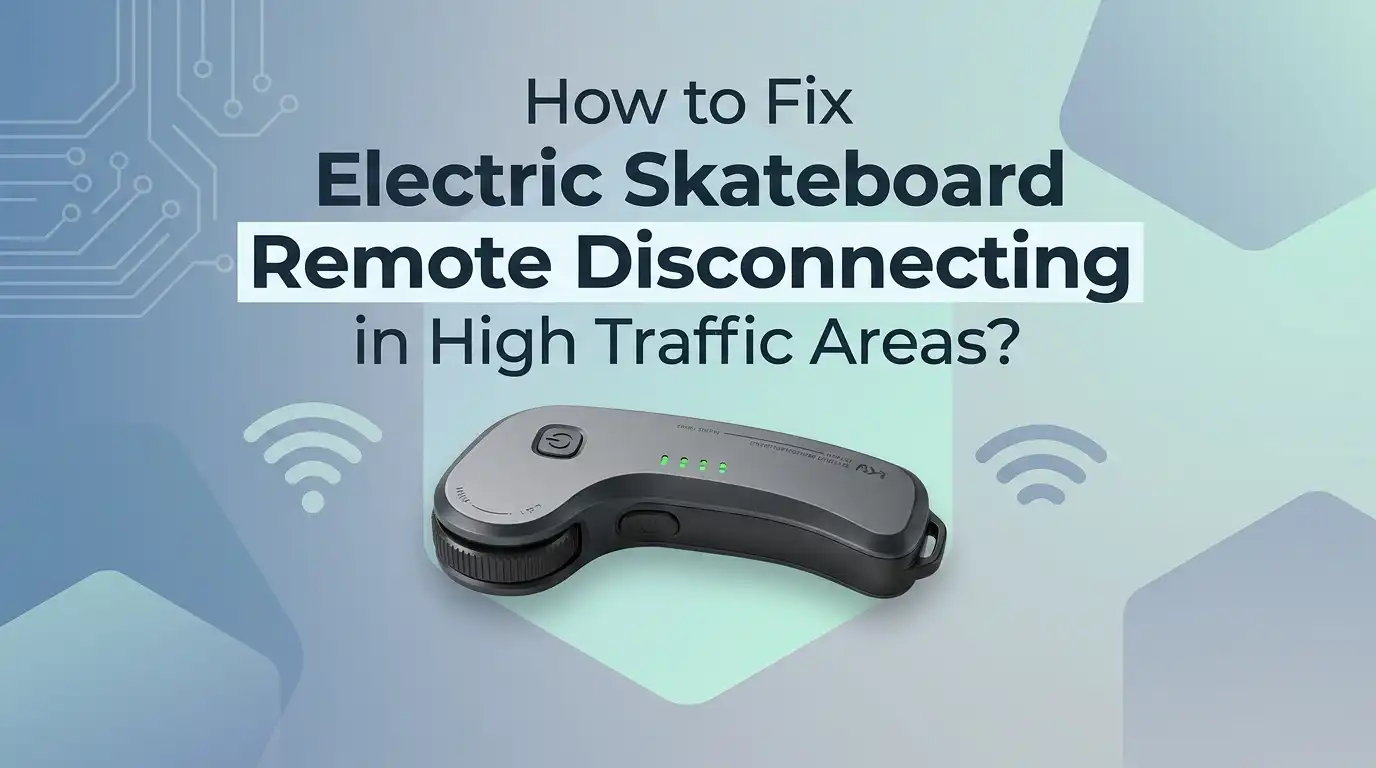
How to Fix Electric Skateboard Remote Disconnecting in High Traffic Areas?
If your electric skateboard remote keeps dropping out in busy streets, crowded paths, or near shops and transit stops, you are not imagining it. This problem is real, and it usually has a clear cause.
In many cases, the issue comes from wireless noise in the 2.4 GHz band, weak battery levels, poor hand position, old firmware, or a remote that has started to wear out. The good news is that you can fix most of these problems without stress.
In this guide, you will learn simple steps that help you find the real cause, stay safe when the signal drops, and make your board feel steady again. Keep reading, because one small change can stop a lot of frustrating disconnects.
In a Nutshell
- Busy areas create more wireless noise. Phones, earbuds, Wi Fi routers, smart watches, cameras, and other devices all share air space with many electric skateboard remotes. That extra noise can weaken the link between your hand and your board. If disconnects happen in the same places again and again, the location is likely part of the problem.
- Start with safety before you start fixing. Most boards stop accelerating and begin to coast when the remote disconnects. Some also disable braking until the link returns. Stay calm, keep your balance, and step off only when speed drops enough. Practice this response in a quiet place so you do not panic in traffic.
- Battery level matters more than riders think. A low remote battery can make the signal unstable before the remote fully dies. A weak board battery can also lead to strange behavior. Charge both fully before testing anything else. This quick step solves more disconnect problems than many riders expect.
- Connection issues often improve with simple setup changes. Pair the remote again, update firmware if your board supports it, keep the remote away from your body, and move your phone to the other side. Small changes in position can make a big difference in crowded areas where signals compete.
- You need a route based fix, not only a garage fix. Test your board in a quiet open area first. Then test the same board on your normal route. If the problem appears only in one zone, you are dealing with outside interference. If it happens everywhere, the remote, ESC, battery, or wiring may need attention.
- Every fix has trade offs. Riding slower through bad spots is easy but limits speed. Re pairing is fast but may not solve a damaged remote. Firmware updates can help but sometimes add new quirks. Use the method that fits your real issue, and test one change at a time so you know what actually worked.
Why This Problem Shows Up More in Busy Places
High traffic areas often mean more than cars and people. They also mean more wireless activity. Your electric skateboard remote usually works on 2.4 GHz, which is a crowded space shared by many daily devices.
That means your board may work fine on a quiet path, then start cutting out near apartments, stations, stores, offices, or event spaces. The remote is trying to talk through noise, and some locations are simply harder on that signal.
Another factor is body position. In crowded places, riders turn more, slow more, and tuck their arms in. That can place your body between the remote and the board. Your own body can weaken the path of the signal.
Pros: This cause is easy to test once you know what to watch for. Cons: You cannot control the environment, so the fix often depends on smart habits rather than one perfect repair.
What to Do the Moment the Remote Drops
The first fix is a safety fix. If the remote disconnects while riding, do not jerk your body or jump too early. Most boards stop taking acceleration input and begin to coast.
Stay loose and centered. Bend your knees, keep your shoulders calm, and let the board lose speed. If your model also loses braking during a disconnect, forcing sudden moves can make things worse.
When speed drops, step off only if you can do it cleanly. If you are in a safe lane and the board reconnects fast, keep control and roll out gently. Practice this response in an empty lot so your body knows what to do.
Pros: Practicing this costs nothing and improves safety right away. Cons: It does not remove the root cause, and it takes repetition before it feels natural under pressure.
Check Battery Levels First Because This Fix Is Fast
Before you blame traffic, interference, or faulty parts, charge the remote and the board. A weak remote battery often causes unstable connection before the screen or light shows a serious warning.
Do not do a quick top up and assume that is enough. Give both units a full charge. Then test the board again in a quiet area and later on your normal route. This gives you a clean baseline.
Also inspect the charging port and cable. If the remote charges only when the cable sits at one angle, the battery may not be getting a full charge. That can create random disconnects that look like signal issues.
Pros: This method is simple, free, and often solves the issue fast. Cons: It can hide deeper faults for a short time if the battery itself is aging or if the charging port is loose.
Pair the Remote Again the Right Way
A weak or messy connection can come from a bad pairing session. If the board and remote linked up during low battery, after long storage, or after a software glitch, the handshake may be unstable.
Turn both devices off. Put them close together. Then follow your brand steps to pair them again. If your board offers a reset or fresh pairing mode, use it. Start clean, then test slowly.
Do not rush the process. After pairing, roll the board with the wheels free first if that is safe for your setup. Check throttle response, brake response, and connection stability before riding outside. One careful reset can fix a lot of odd behavior.
Pros: Pairing again is quick and often effective. Cons: It may do nothing if the real problem is interference, hardware damage, or a failing battery inside the remote.
Change How You Hold the Remote and Where You Stand
This fix sounds small, but it works for many riders. Try holding the remote a little farther away from your chest and waist. If your arm stays tight against your body, the signal path can weaken.
Keep the remote side open to the board when you roll through a known problem area. For many riders, that means relaxing the elbow and avoiding a tucked position. A cleaner line between remote and board can improve stability.
Also notice your stance during turns. In crowded zones, riders often twist their torso and block the signal without noticing it. A tiny posture change can stop repeat dropouts in the same corner or crossing.
Pros: This costs nothing and helps right away. Cons: It takes awareness, and it may feel awkward until it becomes habit.
Reduce Wireless Clutter on Your Body
If your phone, earbuds, watch, and other gadgets all sit close to your remote hand, you may be adding extra signal noise around the controller. That does not mean every device causes trouble, but crowded zones leave less room for error.
Move your phone to the pocket on the side away from the remote. If you wear a smart watch on the same arm as the remote, test a ride without it. Keep wireless earbuds if you must, but remove extra devices during testing. Make the remote area as quiet as possible.
This method works best when you test one change at a time. Do not change five things at once, or you will not know what helped.
Pros: Easy to test and free to do. Cons: Results vary, and some riders may not want to change their usual setup.
Map the Trouble Spots on Your Route
If disconnects happen in the same block, near the same light, or outside the same building, start tracking the pattern. You do not need fancy tools. Use your phone notes after the ride and write down the exact spot.
Then compare that with a ride in a quiet park or open lot. If the board behaves well away from busy areas, outside interference is much more likely than a broken remote. Pattern tracking turns guessing into evidence.
You can also change your line. Move to the other side of the path, cross the street where safe, or coast through that area with less throttle input. Sometimes a small route change solves the issue better than a hardware change.
Pros: This helps you find the real trigger and plan around it. Cons: It takes patience, and it does not fully fix the board if the remote is already weak.
Update Firmware and Check Your App Settings
If your board brand supports firmware updates, check for them. Some updates improve connection stability, battery reporting, or remote response. Open the official app, read the update notes, and install only when both the board and remote are well charged.
After the update, test in a safe area before riding in traffic. If your app allows remote calibration or control settings, make sure everything looks normal. A software fix can clean up odd signal behavior that started after storage or a failed update.
Still, be careful. Updates help many riders, but they are not magic. Sometimes new firmware changes feel different, even when connection improves.
Pros: Can solve bugs without new parts. Cons: Some riders dislike software changes, and a poor update process can create fresh problems.
Inspect Hardware on Both the Remote and the Board
If the problem happens in quiet places too, move from signal fixes to hardware checks. Look for cracks in the remote shell, sticky throttle movement, loose buttons, or signs that the remote was dropped hard.
Then inspect the board. Check the power button area, battery case, ESC enclosure, and visible wiring. Listen for rattles. If a connector inside has loosened, bumps in the road can trigger a disconnect that feels like interference. Physical damage often hides behind random symptoms.
Pay attention to the charging port as well. A worn port can lead to low charge even when the remote seems fine. If you are not comfortable opening the board, stop at visual checks and seek proper service.
Pros: This helps find real faults. Cons: Deep inspection can be hard without tools or skill, and careless opening may void support.
Ride Slower Through Known Interference Zones
This is not the most exciting fix, but it is one of the smartest. If a crowded block causes drops, enter that area at a lower speed and with more space around you. That gives you time to react if the board coasts.
Use smooth throttle input before the problem zone. Then hold steady instead of making rapid speed changes. Less aggressive input means less stress if the signal cuts for a second.
You can also step into a manual mindset. Be ready to foot brake or step off cleanly if needed. This method does not remove the disconnect, but it reduces risk while you work on deeper fixes.
Pros: Fast, practical, and safer right away. Cons: It limits speed and fun, and it feels like a workaround rather than a full solution.
Build a Quick Before Ride Routine
A short routine before every ride prevents many remote problems. Start by checking battery level on the board and remote. Then turn both on and confirm the link before you move.
Next, rotate the throttle gently and check that the display or response looks normal. If your route includes a known bad spot, decide in advance how you will approach it. Good habits beat last second panic.
Keep the routine short so you actually use it. Thirty seconds is enough. Look at battery, confirm connection, move your phone away from the remote side, and do one calm roll test. Simple routines catch weak links early before they become traffic problems.
Pros: Builds reliability and confidence. Cons: It takes discipline, and it will not fix hidden hardware faults on its own.
Know When a Repair or Replacement Makes Sense
If you charged everything, paired again, updated software, changed your grip, reduced device clutter, and tested in open areas, but the board still disconnects, the remote may be failing. A tired battery, damaged antenna, worn throttle wheel, or internal board fault can all cause this.
At that point, stop chasing endless home fixes. Test with a known good remote if your setup allows it. If not, contact support or a skilled repair shop with a clear list of your symptoms and test results. Good notes help you get a faster answer.
Pros: Proper repair can solve the issue for good. Cons: It costs time and money, and some parts may be hard to source on older boards.
FAQs
Can high traffic areas really cause electric skateboard remote disconnects?
Yes. Busy places often have more wireless activity in the same air space your remote uses. That does not mean every crowded street will cause problems, but repeated drops in the same area are a strong clue. If the board works well in open spaces and fails in one crowded zone, interference is a likely cause.
Will my board stop suddenly if the remote disconnects?
Most modern boards stop accelerating and begin to coast. Many also lose electronic braking until the link returns. That is why practicing a calm coast response matters so much. Still, behavior can vary by ESC, so test your own board in a safe area at low speed.
Should I replace the remote right away?
No. Start with the simple fixes first. Charge both units fully, pair again, remove device clutter, test a quiet route, and check for firmware updates. Replace or repair only after basic tests fail. This saves money and helps you avoid guessing.
Is it safe to ride with a board that disconnects only once in a while?
It is safer to treat even rare disconnects as a real issue. A single dropout in the wrong place can still cause a crash. Do not ignore a pattern. If the problem happens more than once, slow down, test methodically, and fix the cause before normal riding.
Can my phone in my pocket interfere with the remote?
Sometimes it can add signal noise, especially if it sits close to the remote hand in a crowded area full of other wireless devices. The easiest test is simple. Move the phone to the other side, keep the remote away from your body, and compare the ride. If the board feels steadier, keep that setup.
What is the best first test to run today?
Start with a full charge on the board and remote. Then ride in a quiet open area and compare that with your normal high traffic route. This one test tells you a lot. If the problem appears only in the busy zone, focus on interference and riding setup. If it appears everywhere, inspect hardware and software next.

Hi, I’m Lola Griffin 👩💻, the voice and creator behind ResizerBox. I’m a passionate tech enthusiast who loves exploring the latest gadgets, smart devices, and trending Amazon electronics. Through my reviews, I share honest insights, real-world testing experiences, and practical buying advice to help readers make confident tech choices.