How To Fix Robot Vacuum AI Object Detection Getting Stuck On Black Rugs?
Your robot vacuum glides across the floor with confidence. Then it reaches your dark rug and freezes. It backs up, beeps, and refuses to move forward. Sound familiar?
This is one of the most common problems robot vacuum owners face. Black rugs confuse the sensors that help your robot see the world. The good news is that you can fix this at home.
You do not need a technician or a new machine. In this guide, you will learn why this happens and how to solve it step by step. Let us get your robot cleaning every corner again.
Key Takeaways
- Black rugs absorb infrared light, which tricks your robot’s cliff sensors into thinking there is a stair or drop ahead. This is the main reason your vacuum gets stuck.
- Cleaning the cliff sensors is the simplest first step. Dust and grime make the sensors even more sensitive to dark surfaces.
- App settings matter a lot. Many modern robots let you mark dark carpet zones or lower cliff sensitivity right from your phone.
- Reflective tape or light paper over the cliff sensors can disable false readings, but this method carries real risks near stairs.
- Firmware updates often fix detection bugs. Manufacturers release patches that improve how the AI reads dark floors.
- Choosing the right robot with camera based or 3D detection helps avoid the problem from the start.
Why Robot Vacuums Get Stuck On Black Rugs
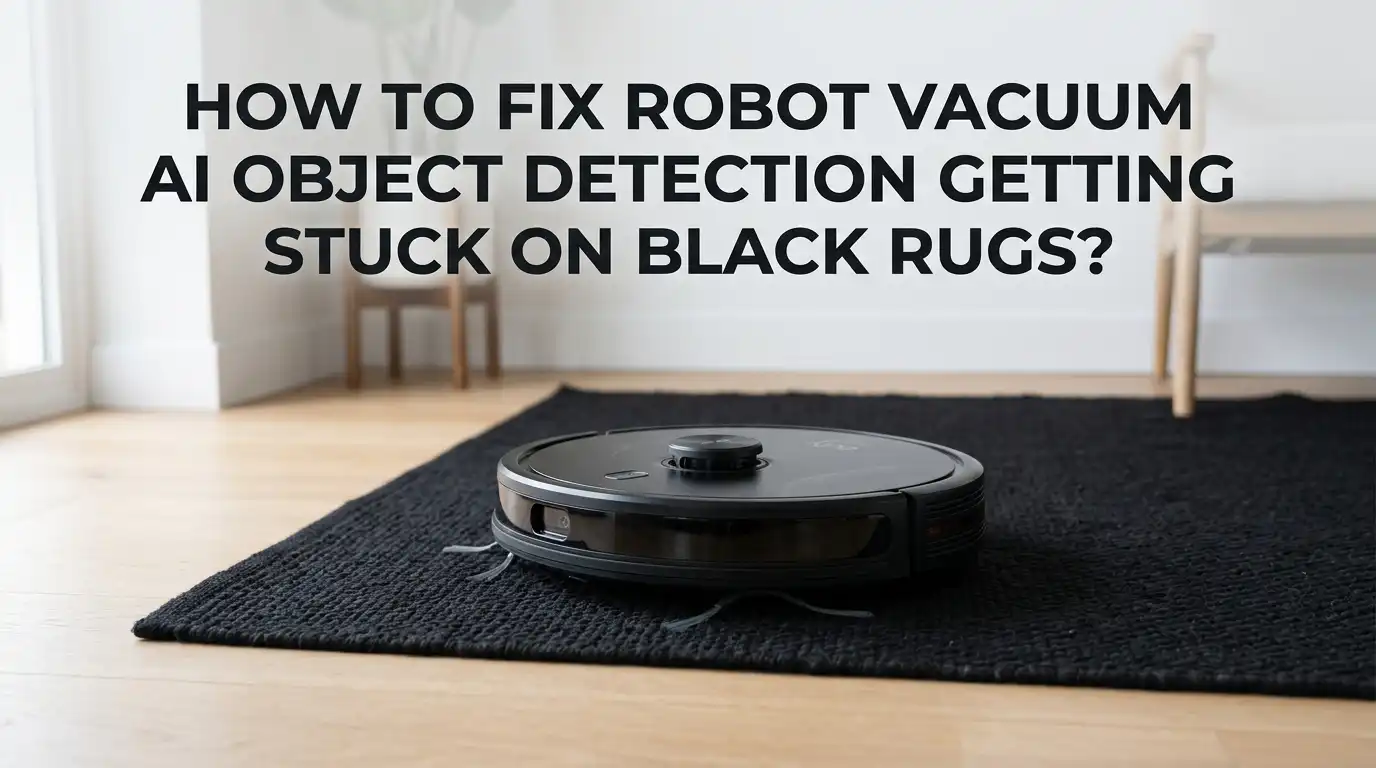
Robot vacuums use small sensors on their underside called cliff sensors. These sensors shoot infrared light at the floor and measure the bounce back. Light colored floors reflect the light well. The robot sees a strong signal and keeps moving.
Black and dark rugs absorb most of that infrared light. The robot gets a weak signal back. It reads this weak signal as empty space, like the edge of a stair. So it stops to protect itself from falling.
This is not a defect. It is a safety feature working too hard. Your robot thinks it is saving itself from a dangerous drop. Understanding this helps you choose the right fix without breaking your machine or risking damage to it.
How AI Object Detection Reacts To Dark Surfaces
Newer robot vacuums combine cliff sensors with AI object detection. This AI uses cameras, LiDAR, or structured light to map your room and avoid items. Dark surfaces still confuse these advanced systems too.
Cameras struggle to read black rugs in low light. The AI sees a dark patch and cannot tell if it is a rug, a shadow, or a hole. It often chooses caution and avoids the area completely. This is why even premium robots sometimes skip your dark rug.
LiDAR handles dark colors better because it uses laser distance mapping. But the cliff sensors underneath still rely on infrared. So a high tech robot can map the rug perfectly yet refuse to drive onto it. The two systems do not always agree, and the safety system usually wins.
Step One: Clean The Cliff Sensors First
Always start with the easiest fix. Dirty cliff sensors make the black rug problem far worse. Dust, hair, and grime block the infrared light and weaken every reading.
Flip your robot over and find the small clear windows near the front edge. These are your cliff sensors. Wipe each one gently with a dry microfiber cloth. For stubborn grime, use a cotton swab with a tiny bit of rubbing alcohol.
Clean sensors give stronger, more accurate readings. Sometimes this single step solves the whole problem. Many owners report their robot crossing dark rugs again after a simple wipe down.
Pros: This method is free, fast, and completely safe. It improves overall performance too.
Cons: It may not fully fix very dark or thick rugs. You will need to clean the sensors regularly to keep results.
Step Two: Adjust Settings In Your Robot’s App
Most modern robot vacuums come with a companion app. This app often holds the answer to your black rug problem. Many brands now include a dark carpet or cliff sensitivity setting.
Open the app and find the map editing or carpet settings menu. Look for an option to mark dark colored carpet zones. Marking these areas lowers the cliff sensor sensitivity only on that rug. The robot then cleans the rug without freezing.
For example, some robots ask you to select “Carpet Cleaning” then “Carpet Settings” and tag the dark area. This is the safest software based fix available. It keeps the cliff sensors active everywhere else in your home.
Pros: No tools needed, fully reversible, and keeps stair protection in other rooms.
Cons: Not every robot offers this feature. Older or budget models may lack the setting entirely.
Step Three: Use Reflective Tape On The Cliff Sensors
This is a popular do it yourself fix, but use it with care. The idea is to trick the cliff sensors into always seeing a reflective surface. You cover the sensor windows with shiny material so the infrared always bounces back.
Cut small pieces of reflective tape, glossy white paper, or clear tape over paper. Place them flat over each cliff sensor window. The robot then reads a strong signal everywhere and stops fearing the dark rug.
Apply the covers smoothly with no bubbles or gaps. Uneven covers can throw error codes instead of fixing the problem. Some robots like certain Roborock models even need glossy paper shaped a specific way.
Pros: Cheap, works on almost any robot, and solves the issue instantly.
Cons: This disables fall protection. Your robot may tumble down stairs. Only use this in single level homes with no drop offs.
Step Four: Set Up Virtual Walls And No Go Zones
If you cannot stop your robot from getting stuck, you can route it around the problem. Virtual walls and no go zones tell your robot to skip certain areas. This is not a true fix, but it stops the constant beeping and back tracking.
Open your app and draw a no go zone around the black rug. The robot will avoid the rug completely and clean the rest of the floor. Some older robots use physical magnetic strips or infrared barriers instead.
This approach works well if the rug does not need frequent cleaning. You can simply vacuum the rug by hand when needed. It keeps your robot productive everywhere else.
Pros: Easy to set up, keeps cliff sensors safe, and stops the stuck loop.
Cons: The rug itself never gets cleaned by the robot. You take on that task yourself.
Step Five: Update Your Robot’s Firmware
Robot vacuum makers release firmware updates often. These updates fix bugs, improve mapping, and sometimes adjust how the AI reads dark floors. An outdated robot may have known black rug bugs that newer software fixes.
Open your app and find the settings or device info section. Look for a firmware or software update option. Tap update and let the robot finish without interruption. Keep it on the charging dock during the process.
Manufacturers like Dreame and Ecovacs specifically recommend regular updates for better obstacle avoidance. A simple update can change how aggressively your robot avoids dark surfaces. It costs nothing and takes only a few minutes.
Pros: Free, official, and may improve many other functions at once.
Cons: Updates can sometimes change behavior in unexpected ways. A few users report new quirks after updating, though these are rare.
Step Six: Improve The Lighting In The Room
Camera based robots rely on light to see your floor. In a dim room, a black rug looks like a black void. Better lighting helps the AI tell the difference between a rug and a real drop.
Turn on your lights before each cleaning cycle. Open curtains during the day to let in natural light. You can even schedule cleaning for the brightest part of the day.
This trick mainly helps robots that use cameras or vSLAM navigation. It does little for robots that rely only on infrared cliff sensors. Still, it is worth trying since it costs nothing.
Pros: Free, simple, and helps overall navigation in the whole home.
Cons: It will not help pure cliff sensor problems. The fix depends entirely on your robot’s detection type.
Step Seven: Place A Light Colored Mat Under The Edges
Sometimes the issue is only the dark border of a rug. The robot panics at the edge and never reaches the center. A clever trick is to reduce the contrast at those edges.
You can lay a thin, light colored runner or mat over the darkest borders. This gives the cliff sensors a reflective surface to read at the transition point. The robot then crosses onto the rug with confidence.
Some owners tuck the rug edges under furniture to hide the problem border. Others swap the rug position so the lighter side faces the robot’s path. Small layout changes can make a big difference.
Pros: No tech skills needed, fully reversible, and keeps sensors active.
Cons: It may look odd in your room. It also does not help if the entire rug is solid black.
Step Eight: Check For Wheel And Brush Obstructions
Sometimes your robot is not stuck because of sensors at all. Hair and debris wrap around the wheels and brushes. On a thick dark rug, this drag makes the robot think it is trapped.
Flip your robot over and inspect the wheels. Remove tangled hair, string, and dust from each wheel axle. Clean the main brush and side brushes too, since dark fibers love to cling to them.
A robot with clean, free spinning wheels handles thick rugs much better. Combine this with clean cliff sensors for the best result. Regular maintenance prevents many stuck errors before they start.
Pros: Free, improves suction, and extends the life of your robot.
Cons: It only helps when physical drag is the real cause. It will not fix infrared false readings.
Step Nine: Choose A Robot With Better Detection Technology
If nothing works and you plan to upgrade later, technology choice matters. Robots with 3D structured light or advanced LiDAR handle dark surfaces far better. They map distance instead of relying only on light reflection.
Look for models that advertise strong obstacle avoidance and carpet detection. Some robots use multiple sensor types together for smarter decisions. These rarely freeze on black rugs.
This is a long term solution, not a quick fix. But knowing what to look for saves you frustration in the future. Read reviews from owners who specifically test dark rugs and floors.
Pros: Solves the problem at the root with no daily workarounds.
Cons: Better robots cost more money. You also lose the time and money already spent on your current model.
Step Ten: Contact The Manufacturer Support Team
When you have tried everything, reach out to the maker. Support teams often know hidden fixes and unreleased settings. They may also confirm if your model has a known black rug defect.
Describe the problem clearly. Mention the rug color, your robot model, and every step you already tried. Ask if a firmware patch or replacement sensor is available.
Some brands offer free repairs or replacements if the issue is a manufacturing fault. Others release special updates after enough customers report the same problem. Your feedback can even speed up a permanent fix.
Pros: May reveal official solutions and possible free repairs.
Cons: Response times can be slow. Not every brand offers helpful support.
How To Prevent The Black Rug Problem In The Future
Prevention beats repair. A few simple habits keep your robot running smoothly on dark surfaces. Regular maintenance is the single best prevention tool you have.
Wipe the cliff sensors once a week. Keep firmware updated as soon as new versions appear. Clean wheels and brushes during your normal upkeep routine.
When buying new rugs, consider lighter colors or textures that reflect light well. Set up your app zones correctly the first time you map your home. A well mapped home prevents most stuck errors.
These small steps add up. A little care today saves you many frustrating beeps tomorrow. Your robot stays happy, and your dark rugs stay clean without effort.
Frequently Asked Questions
Why does my robot vacuum avoid only my black rug and not other rugs?
Your black rug absorbs infrared light from the cliff sensors. Lighter rugs reflect that light and read as safe. The dark color tricks the robot into seeing a drop, so it avoids only that one rug.
Is it safe to cover my robot’s cliff sensors with tape?
It works, but it disables fall protection. Never do this if you have stairs or any drop offs in your home. The robot could tumble and break. Use this method only in single level rooms.
Will cleaning the cliff sensors really fix the problem?
Often, yes. Dirty sensors give weak readings that make dark rugs look worse. A simple wipe with a dry cloth or cotton swab restores accurate readings and may solve the issue completely.
Can a firmware update stop my robot from getting stuck on dark floors?
Sometimes. Manufacturers release updates that improve dark surface detection. Check your app for the newest firmware and install it. It is free and may fix known black rug bugs.
Do expensive robot vacuums still get stuck on black rugs?
They can. Premium robots with LiDAR map distance well, but their cliff sensors still use infrared. So even high end models sometimes refuse dark rugs unless you adjust settings or update software.
What is the safest way to clean a black rug with my robot?
Use your app to mark the rug as a dark carpet zone. This lowers cliff sensitivity only on that rug while keeping stair protection everywhere else. It is the safest and most reliable method available.

Hi, I’m Lola Griffin 👩💻, the voice and creator behind ResizerBox. I’m a passionate tech enthusiast who loves exploring the latest gadgets, smart devices, and trending Amazon electronics. Through my reviews, I share honest insights, real-world testing experiences, and practical buying advice to help readers make confident tech choices.